Tablo's over-the-air DVR software has gotten a lot better over the last year, and now it has hardware to match with the Tablo Quad.
The $200 DVR box from Ottawa-based Nuvyyo can turn a single antenna into a whole-home DVR for cord-cutters. As the name suggests, the Tablo Quad can play or record up to four broadcast TV channels at a time, and it then streams the video to pretty much any connected TV device, phone, tablet, or PC. While the Tablo Quad isn't any more powerful than the $140 Tablo Dual Lite, it can record twice as many simultaneous channels, and it has an internal hard drive bay for storing recordings without the clutter of an external drive.
Both products are simpler to set up and use than most other whole-home DVRs, and the recent additions of ad skipping and a channel-surfing guide put them on equal footing feature-wise. Tablo remains the best all-around DVR for cord-cutters with antennas, with a slight edge to the newer Tablo Quad. If not for some early ad-skipping issues and longstanding video quality limitations, it'd be pretty much perfect.
Pick your pieces
 Jared Newman / IDG
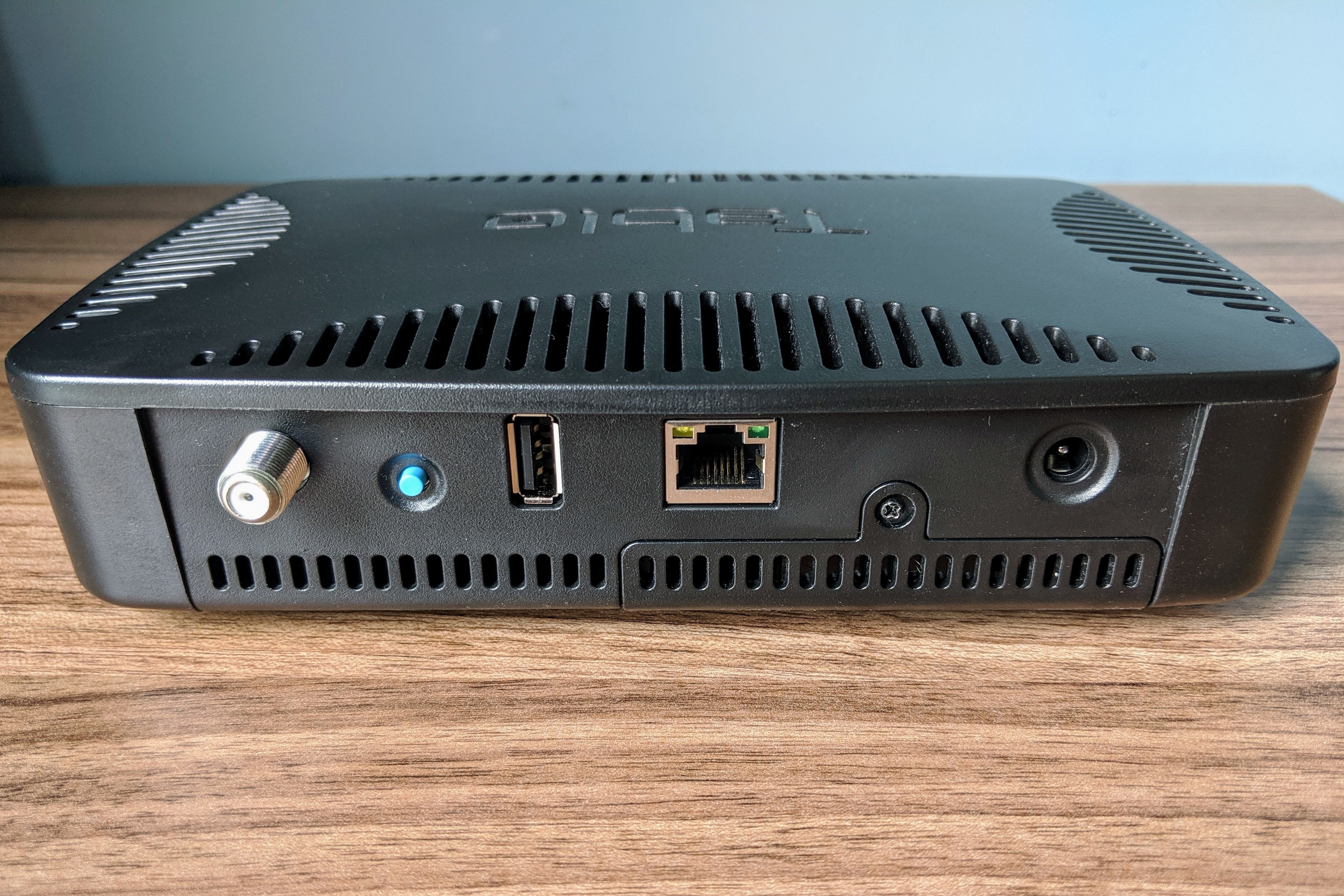
To use the Tablo Quad, you must supply your own antenna and storage, plus a separate streaming device such as a Roku or Fire TV Stick. An ethernet connection to your home network is optional.
Setting up the Tablo Quad still involves some light do-it-yourself elements. Instead of connecting directly to a TV, the Tablo box can sit anywhere in the house, so long as it can connect to Wi-Fi or plug directly into a router, ethernet switch, or wireless bridge using a cable. It's best to place it wherever you get the best reception from an antenna, which plugs into a coaxial port on the back of the box. You must then supply your own streaming device—be it a Roku, Fire TV, Apple TV, or myriad other options—and download the Tablo app to watch TV.
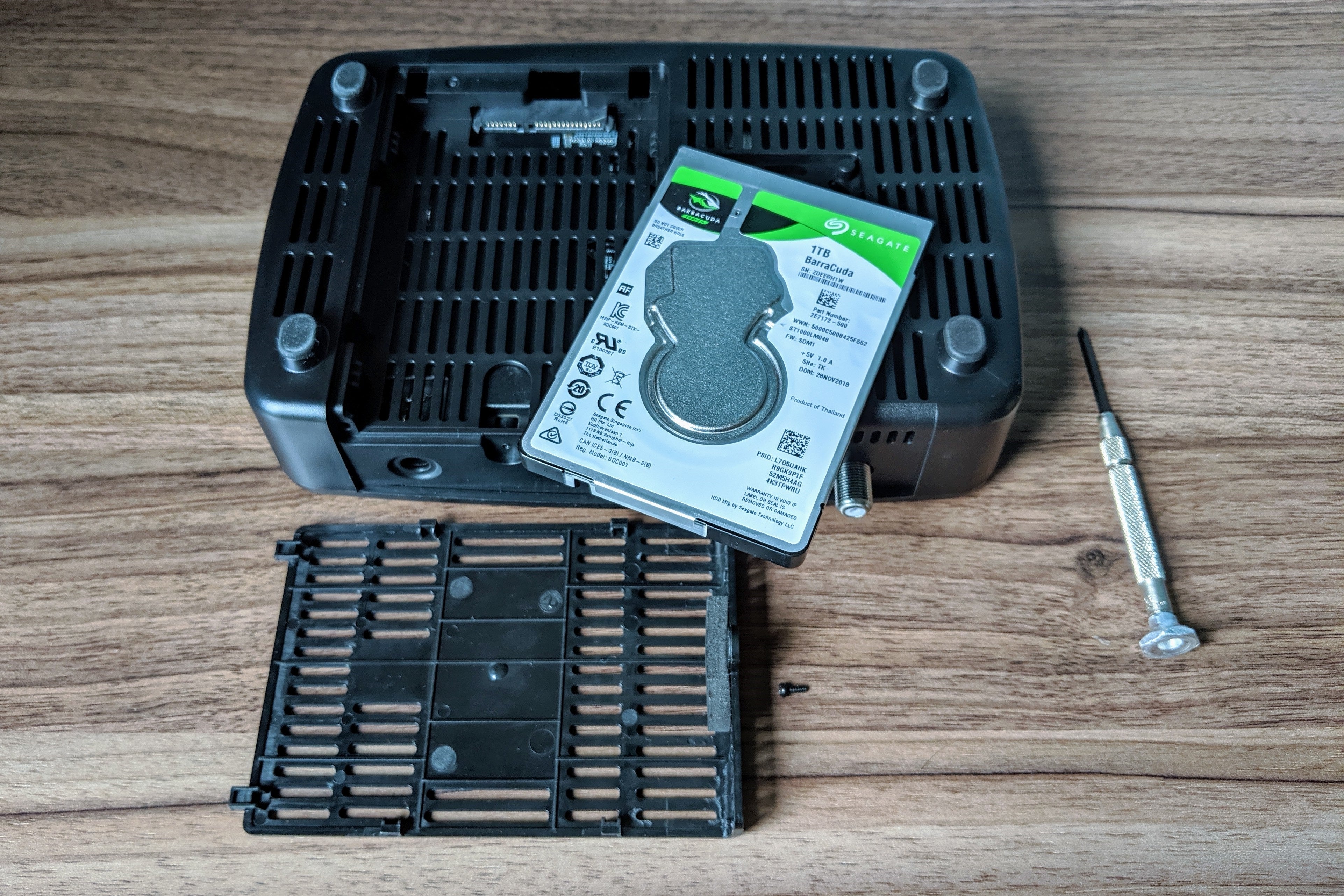
The Tablo Quad doesn't include any DVR storage either. Instead, it has a USB port for an external hard drive, plus a hatch on its underside where you can slide in a 2.5-inch internal drive. The latter is a nice way to keep the setup compact; unfortunately, you can't use internal and external storage in tandem. Although Tablo is working on cloud DVR storage as an alternative to setting up a hard drive, at $5 per month it quickly becomes pricier than buying a hard drive for $50 or so.
 Jared Newman / IDG
Using the Tablo Quad's internal hard drive slot is tidier than plugging in an external USB drive.
Once everything's connected, Tablo's mobile apps or website will guide you through the initial setup, which involves connecting the Tablo to Wi-Fi and scanning for channels. The device includes a 30-day TV guide subscription, which allows for series recordings, a 14-day channel guide with cover art, out-of-home viewing, and ad-skipping (more on those features shortly). After that, the subscription costs $5 per month, $50 per year, or $150 for life.
DVR boxes that plug directly into your television, such as TiVo's Bolt OTA, are inherently simpler than all this, but Tablo's advantage is that it works with whatever streaming boxes or sticks you might already be using. You don't need to switch inputs just to watch local channels, or settle for TiVo's inferior selection of built-in apps. Tablo is also less expensive than TiVo over time, especially with multiple televisions, as our over-the-air DVR price comparison shows.
Recording options
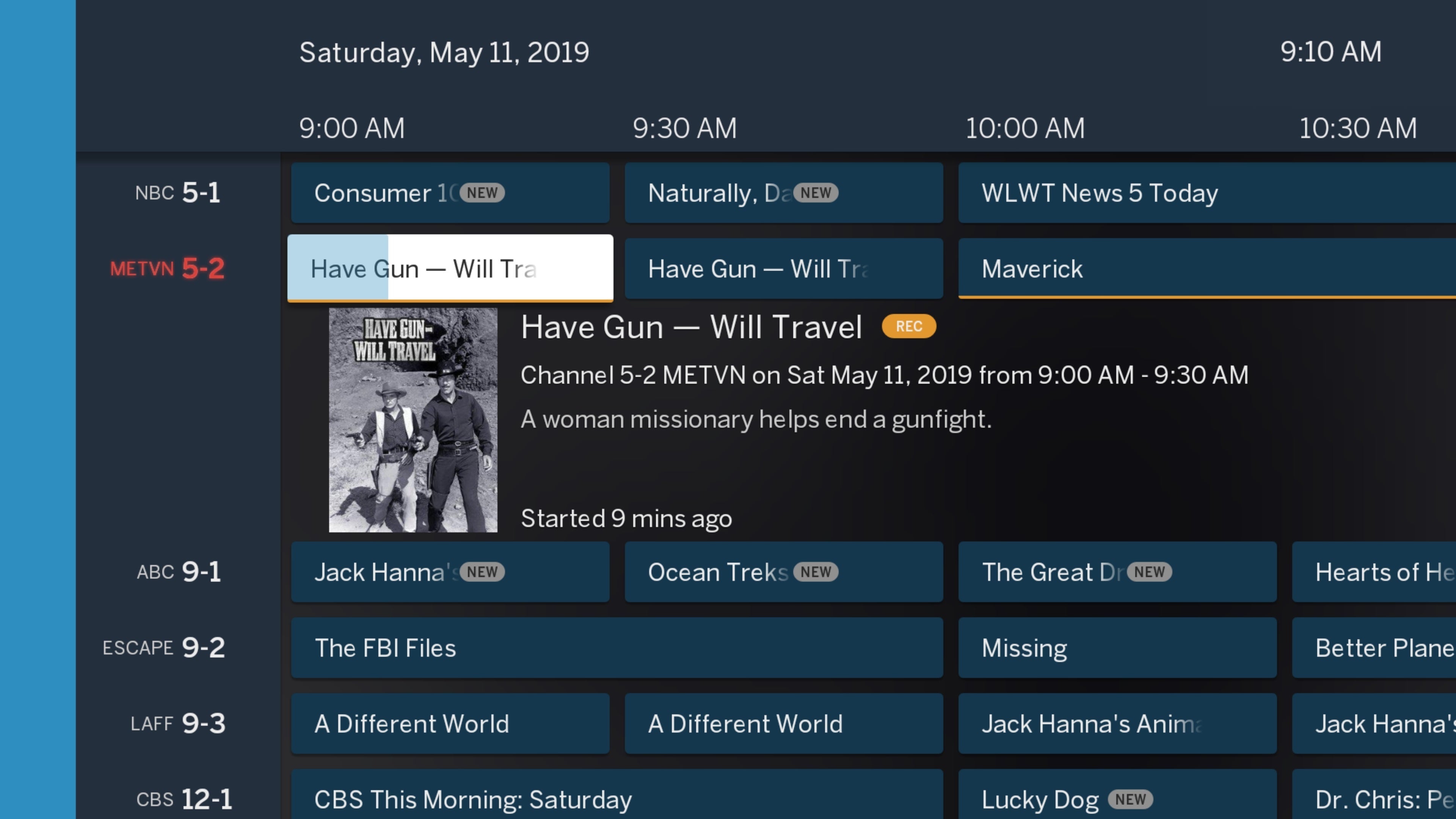
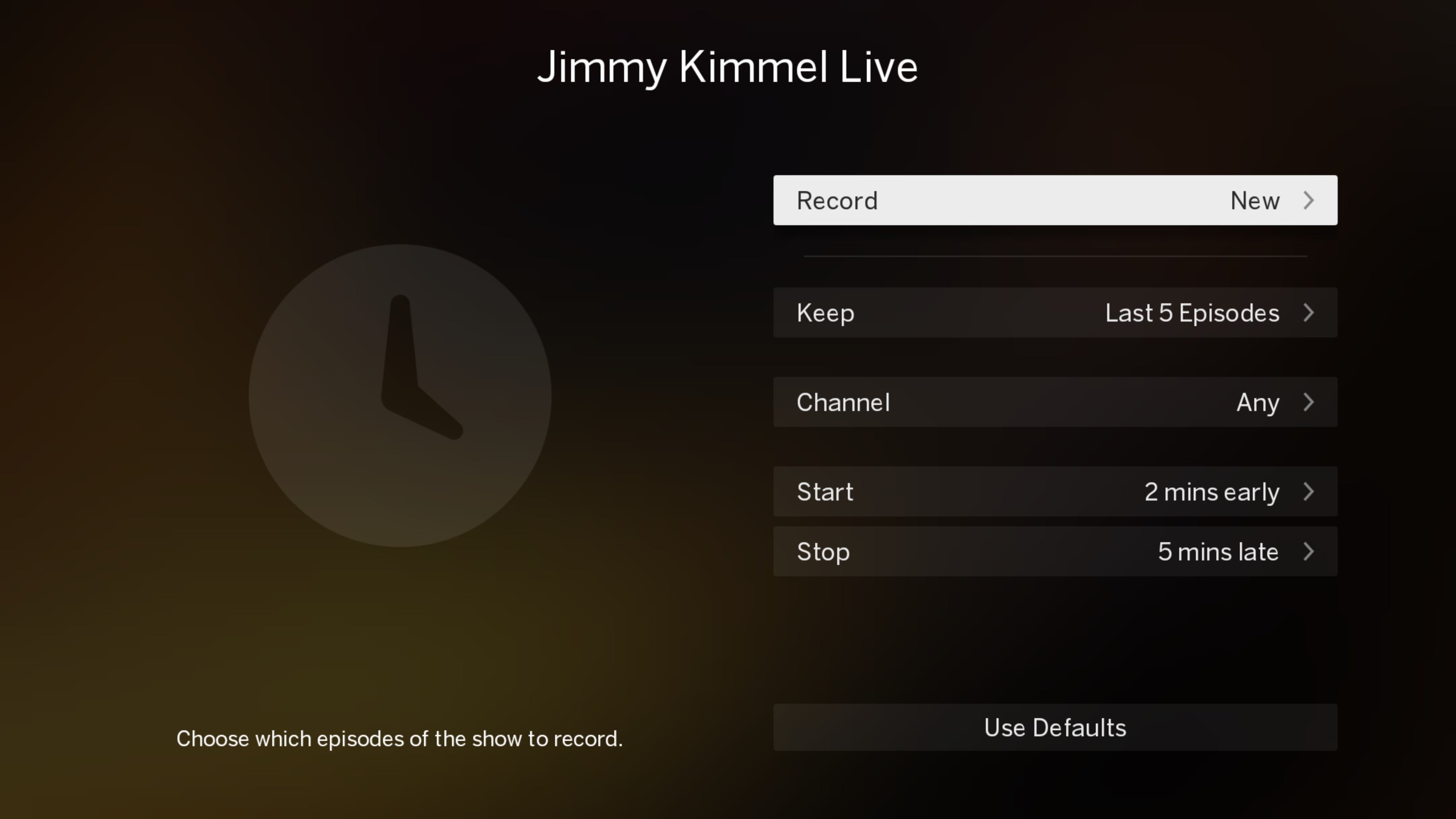
In addition to providing a 14-day channel guide, a Tablo subscription lets you browse programs by genre or channel. You can then record individual episodes, only new episodes, or all episodes from a given series. To save storage space, Tablo can automatically discard older episodes—useful for recording timely news or talk shows—and you can mark recordings as "protected" from automatic deletion when the hard drive fills up. For series-based recordings, Tablo allows an extra buffer of up to 10 minutes before a show and 3 hours after, or you can just schedule a manual recording, VCR-style.
 Jared Newman / IDG
The Tablo app's grid guide lets you browse live TV channels like you would with cable.
While over-scheduling is a less of a problem on the Quad than on dual-tuner DVRs, Tablo lets you know when it happens by slapping a red warning label over the show you just tried to record. You can then head to Tablo's scheduling menu to decide which upcoming recordings to delete.
Some nice-to-have DVR options are still missing, though. You can tell Tablo to only record from a specific channel, for example, but you can't specify HD-only recordings like TiVo can, nor can you automatically replace standard-definition programs if an HD version airs later. Team-based season passes aren't allowed either, though you can set up league-specific recordings.
 Jared Newman / IDG
Tablo provides several recording options to maximize storage space and avoid missing anything.
Catch up faster
When it's time to actually watch TV, Tablo has made some big leaps in the last year or so.
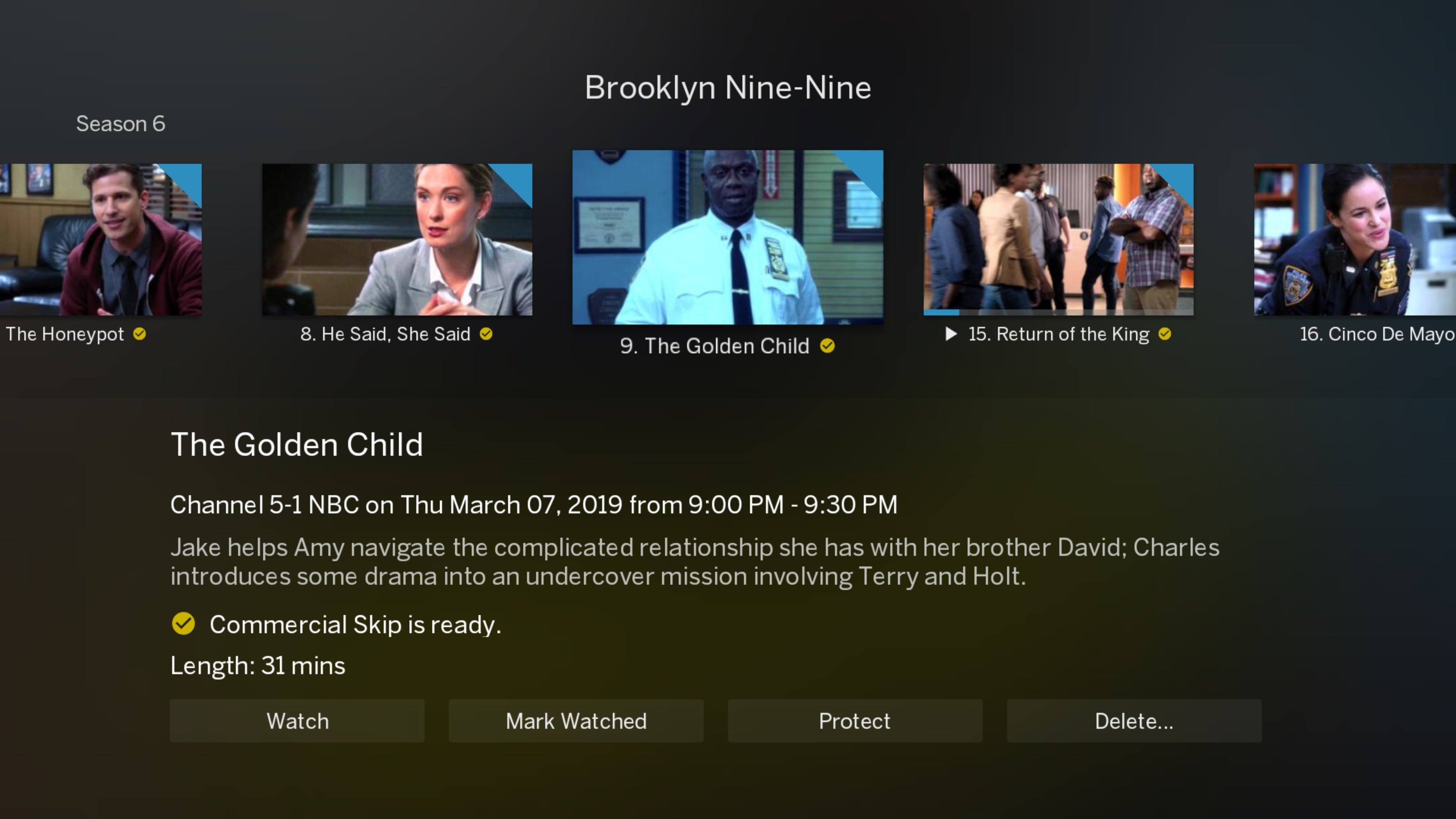
Most notably, you can now skip over commercials for completed recordings. Ad skipping is off by default, possibly because it uses about 100- to 200MB per hour of internet data to process the video, but anyone who's not dealing with super-strict data caps should enable the feature in Tablo's settings menu.
 Jared Newman / IDG
Recordings that support ad skipping will be labeled as such in Tablo's show menu.
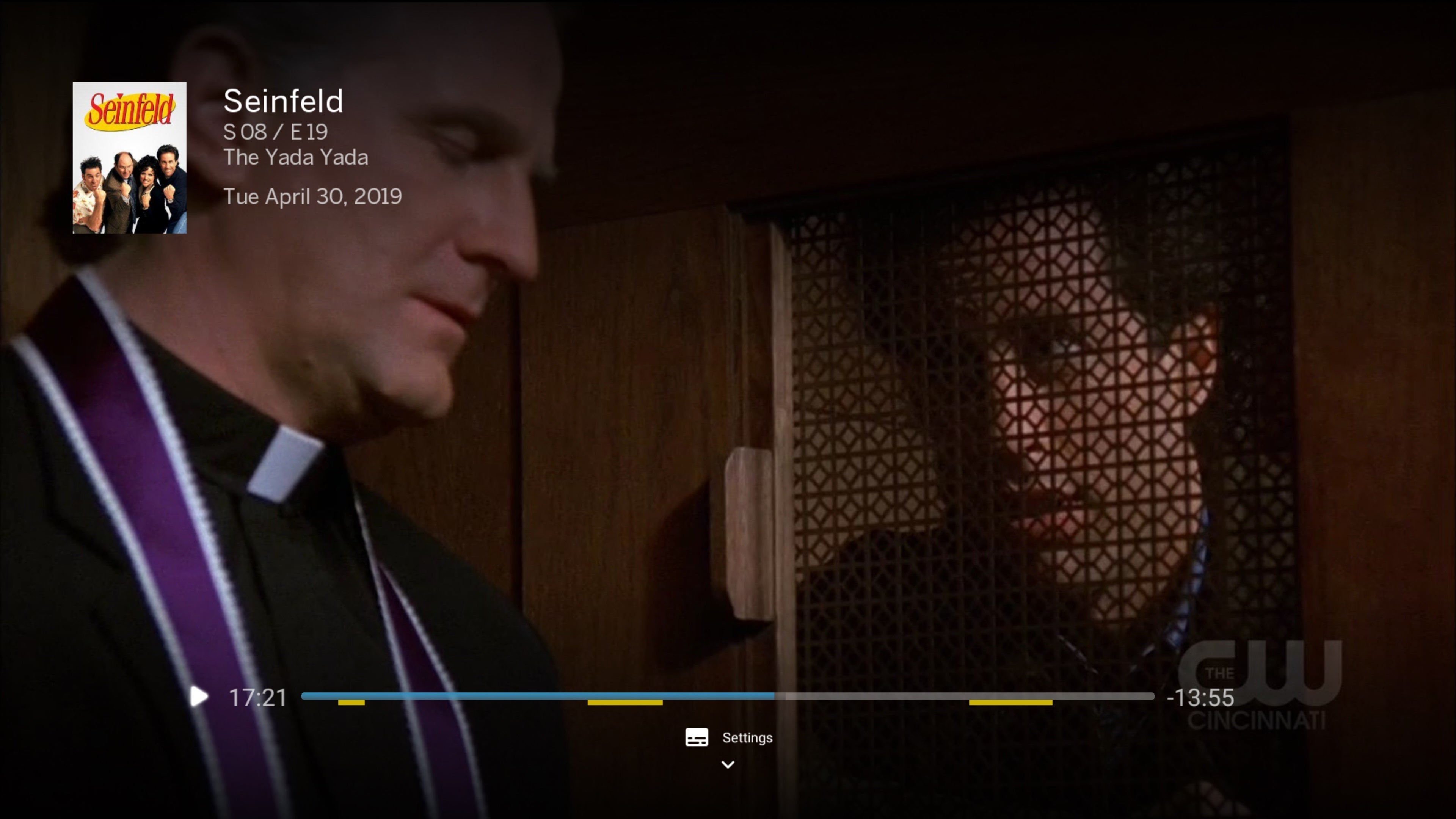
When it works, Tablo's ad skipper is glorious. The video player marks up commercial breaks with yellow bars, and Tablo automatically fast forwards to the end of each break at the appropriate time. Unlike Plex DVR, Tablo doesn't actually strip the commercials from the recording, so you can still go back if the ad skipping jumps too far (which hasn't occurred in my experience) or you want to view a certain ad.
Still, Tablo's algorithmic ad detection isn't flawless. On my local ABC channel, commercial skip routinely fails, with an error message blaming poor reception even though the recordings look excellent to my eye. (Nuvyyo says it might be picking up on imperceptible flaws that can throw off commercial detection.) When commercial skip isn't available, Tablo's visual fast forward previews fail as well, so it's impossible to even see what you're skipping over manually. This isn't a problem with TiVo, which uses human editors for its SkipMode feature, but the trade-off is that TiVo can only skip ads for prime-time shows. Tablo's commercial skip feature should work with any program—at least in theory.
 Jared Newman / IDG
Tablo marks up commercial breaks and skips through them automatically.
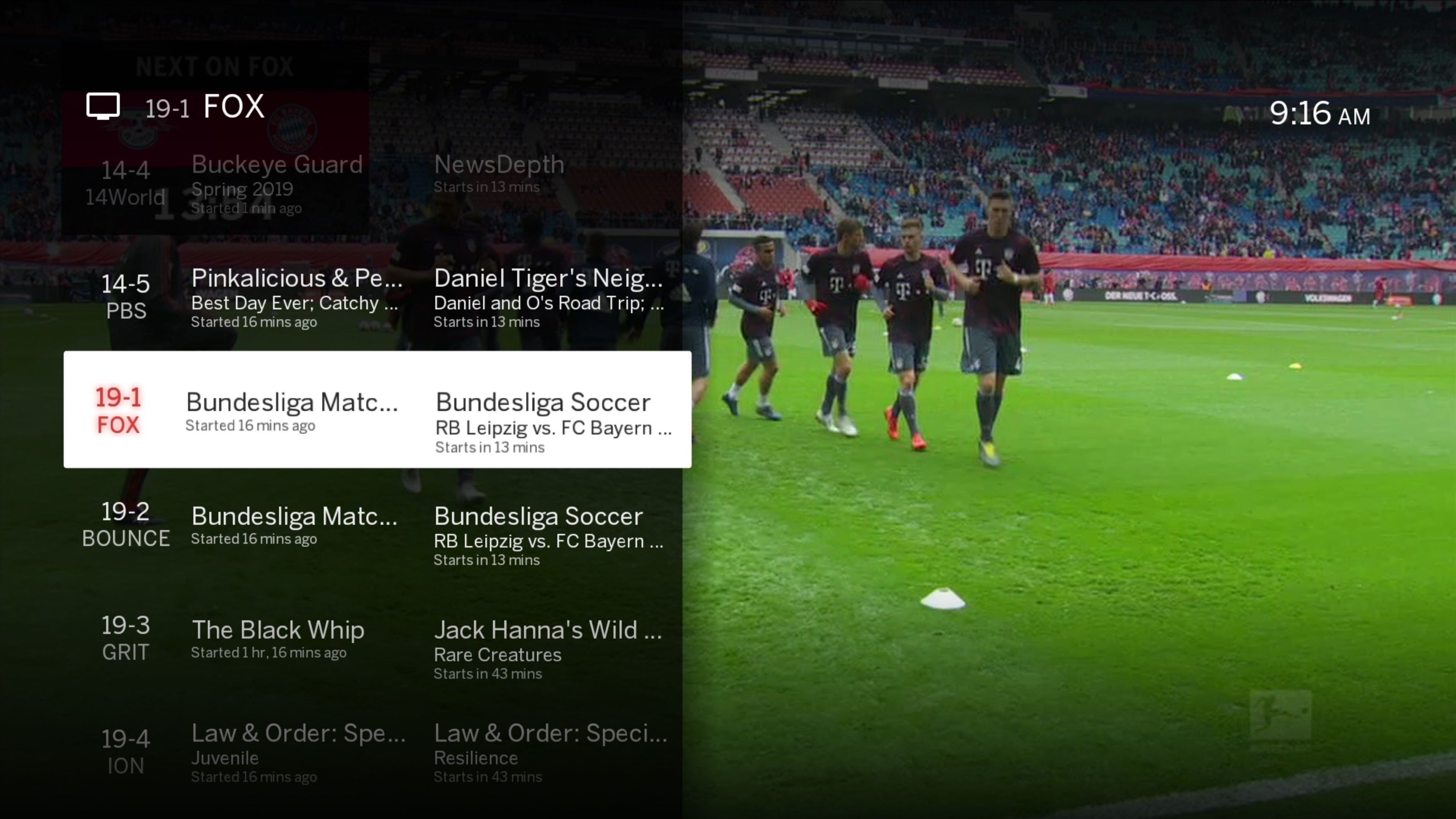
Tablo's other major recent improvement is a mini-guide, so you can see what else is on while watching live TV on Roku, Fire TV, Apple TV, and Android TV. Connectivity has also generally become more stable in recent months, and channel load times have consistently been around six seconds, versus upwards of 15 seconds a couple years ago. (As always, Tablo also uses any free tuners to store your most recently viewed channels, so it only takes a second or two to flip back and forth.)
The only lingering playback issue has to do with out-of-home streaming. You must set this up in advance through Tablo's settings menu, and even if you have the foresight, it only works on mobile devices, web browsers, Fire TV, and Android TV. That means you can't bring a Roku with you to watch local channels on the road.
 Jared Newman / IDG
Tablo now offers a mini-guide so you can browse and watch at the same time.
The interlace issue
The whole experience just seems so much more refined than it used to be, all without sacrificing Tablo's reasonable prices and fairly easy setup. That's why video quality remains such a bummer.
As with previous Tablos, the Tablo Quad is unable to display interlaced channels (in 480i or 1080i) at 60 frames per second. That means video on those channels looks choppier than 720p channels when watching sports, news, or talk shows. While not everyone can tell the difference or even cares about this, it's an eyesore for folks who do. (Tablo's inability to deliver broadcasts at their native uncompressed quality will irk some videophiles as well.)
At least Tablo supports 5.1 surround sound now, with a caveat: Any devices that don't support the codecs necessary for surround sound won't play audio at all when the feature is enabled, because Tablo is incapable of creating surround and non-surround audio feeds simultaneously. Unless you know that all your devices can handle surround sound, you'll need to keep the feature disabled. Otherwise, anything you've already recorded won't be playable with audio on non-surround devices.
These lingering issues just underscore a longstanding truth about over-the-air DVR: None of them are perfect. The Fire TV Recast has smoother video, but it only works with Fire TV and mobile devices. TiVo is a bit easier to use, but it can be much pricier and has fewer apps than the streaming players that Tablo makes use of. HDHomeRun's video quality is excellent, but setting it up with services like Plex DVR and Channels is burdensome.
Tablo continues to hit the sweet spot of affordability and ease of use, and it now trades off fewer features than it used to. While the Tablo Quad isn't perfect, it comes closer than any other attempt yet.

Không có nhận xét nào:
Đăng nhận xét