Disconnect Premium in brief:
- P2P allowed: Not encouraged
- Business location: United States
- Number of servers: ~100
- Number of country/region locations: 4
- Cost: $50 per year
- VPN protocol: OpenVPN
- Data encryption: AES-256
- Data authentication: SHA1
- Handshake: Diffie-Hellman
New VPN services seem to come out of nowhere from people you've never heard of, and then every once in a while you find a company that has an impressive pedigree. Case in point: San Francisco-based Disconnect, founded in 2011 by former Google engineers and a consumer-rights attorney.
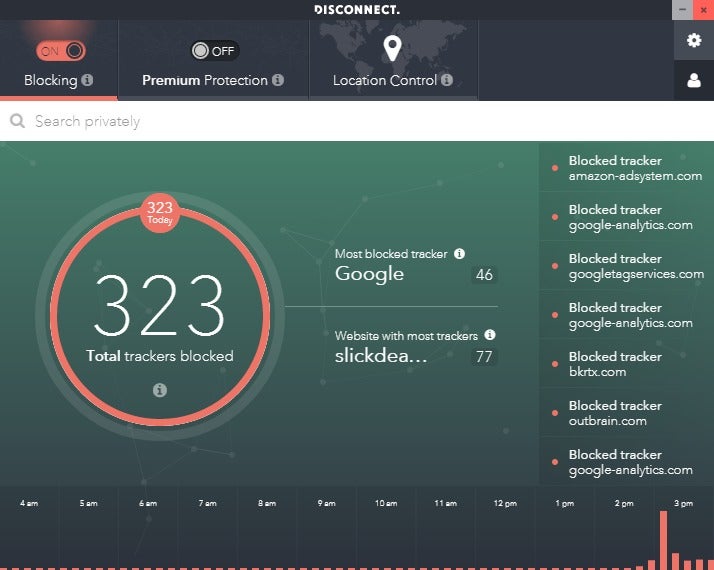
Disconnect aims to be a service that protects your privacy online by securing your connection and blocking attempts to track you online. The built-in tracker-blocking includes a visualization feature to show just how many websites and advertising companies are trying to follow you around. This part of Disconnect is free for anyone who cares to use it on their PC. Once you level up to the VPN, you have to pay.
Note: This review is part of our best VPNs roundup. Go there for details about competing products and how we tested them.
 IDG
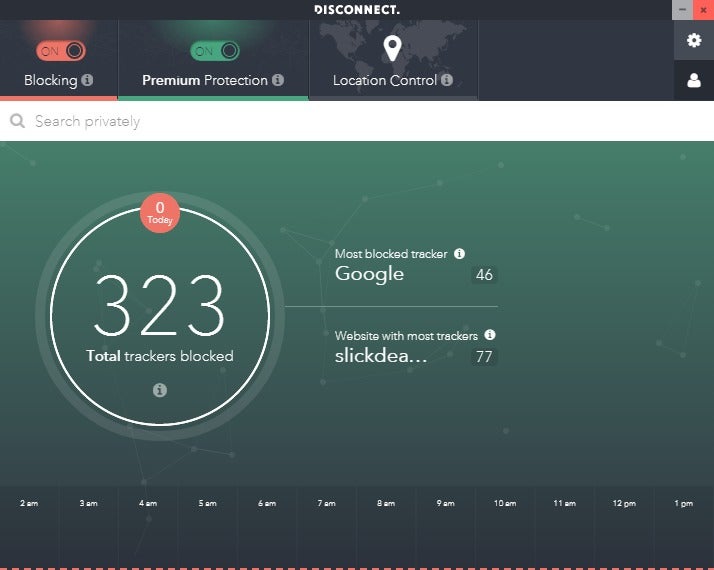
IDGDisconnect with an active VPN connection.
Features and services
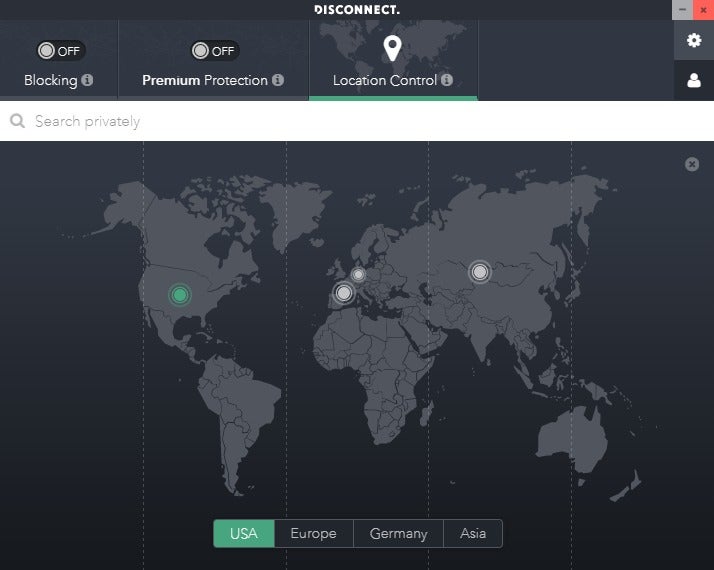
The Disconnect application is a relatively simple affair. At the top of the window are options such as turning on tracker-blocking, turning on the VPN (labeled Premium Protection), and selecting one of four general country/continent connections to use (USA, Europe, Germany, and Asia).
It also has a web search box right underneath the three category options. The box lets you do web searches within the application, and then the results open in a new browser tab.
I don't really see the point of this feature. Disconnect uses DuckDuckGo for its searches, a company that already promises not to track you. If you could specify searches from Bing or Google, in addition to DuckDuckGo, that would make more sense since those search engines absolutely do track you—signed in or not. Yet, since Disconnect has built-in tracker-blocking anyway, you could just visit the website and block it at the source.
A Disconnect representative said it realizes the search box is now redundant, and there are plans to remove this feature in the next interface refresh of the Windows app.
 IDG
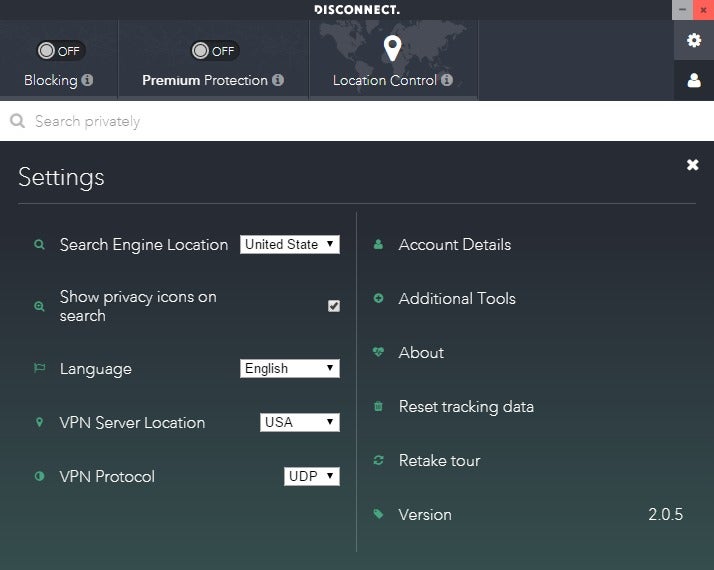
IDGDisconnect's settings.
Moving on to the rest of the app, there's a settings cog icon in the upper-right corner. From here, you can switch between UDP and TCP connections, reset your tracking visualization data, and grab Disconnect's tracker-blocking browser extension.
Privacy, anonymity, and trust
Disconnect is based in San Francisco, California. Its CEO is Casey Oppenheim, and the CTO is Patrick Jackson. All of this information is on the company's About page, and even includes links to the LinkedIn and Twitter profiles of Disconnect's leadership.
Disconnect says it doesn't track you online or collect any of your data, but I wish this was spelled out more explicitly in the company's privacy policy. One of the top lines in the policy says, "We don't collect any of your personal info, including your IP address, other than information you voluntarily provide."
 IDG
IDGDisconnect's location options.
When I first read that statement it gave me pause since, in a way, I'm voluntarily providing my surfing habits when I use Disconnect. I asked the company to confirm it doesn't log your browsing and a representative said, "We do not store IP addresses, DNS lookups, sites/addresses accessed, or anything else."
Even though it doesn't track your activity, you may find it difficult to use P2P file-sharing tools over Disconnect. The company said that to prevent abuses on its servers Disconnect "had to block several ports commonly used for torrenting/P2P." The company does not recommend trying to use Disconnect while file sharing.
Disconnect handles all of its payments via Stripe and doesn't require much in the way of personal information. On its payment page, it says that the name, email, and address are optional, though you do have to provide your city, state, and zip code to pay. I haven't tried to pay myself, but I'd be surprised if you could pay with your credit card online without your name and address.
Disconnect Premium is $50 per year, or $12 per month. Currently, the only payment option is via credit card. Once you've paid, Disconnect provides you with a license code, which you can use on up to three devices at one time.
Performance
 IDG
IDGDisconnect offers its tracker-blocking for free.
Based on our tests across three different testing periods, Disconnect maintained an average of close to 25 percent of the base speed. That puts Disconnect in the range of serviceable, but not outstanding, speeds. With Disconnect you can count on speeds that are good enough for streaming and most other common uses. You might find that at certain times of the day Disconnect's a little weak, but overall it should be just fine.
Conclusion
Disconnect gets a lot of things right. The promise not to track is exactly what you need, the refusal to take more personal information than necessary is spot on, and you don't need a special online account for Disconnect since it uses a license code scheme. Yet, the company could offer a few more country options instead of just four broad categories, and its performance could stand to be faster.
Still, it gets the basics right, the price is good, and the speeds are serviceable. I wasn't blown away by Disconnect, but I wouldn't hesitate to recommend it either.
Editor's note: Because online services are often iterative, gaining new features and performance improvements over time, this review is subject to change in order to accurately reflect the current state of the service. Any changes to text or our final review verdict will be noted at the top of this article.

Không có nhận xét nào:
Đăng nhận xét