With all the news about Facebook recently, you might be wondering, what exactly does Facebook know about me from my profile? Sure, you can peruse your profile online, but that doesn't tell the whole story. One way to see what Facebook has on you is to download your Facebook data.
The ability to download your Facebook data isn't really new, but not many users know that you can do it. It only takes a few minutes; how long depends on how big your data files are. Here are the steps to download your Facebook data.
If you've decided that you want to leave Facebook completely, here's how to delete, disable, or limit your Facebook account.
Downloading your Facebook data
1. Go to your Facebook page and click on the downward-pointing arrow at the top right corner of the page. It is located next to the Quick Help (?) icon. Select Settings.
 IDG
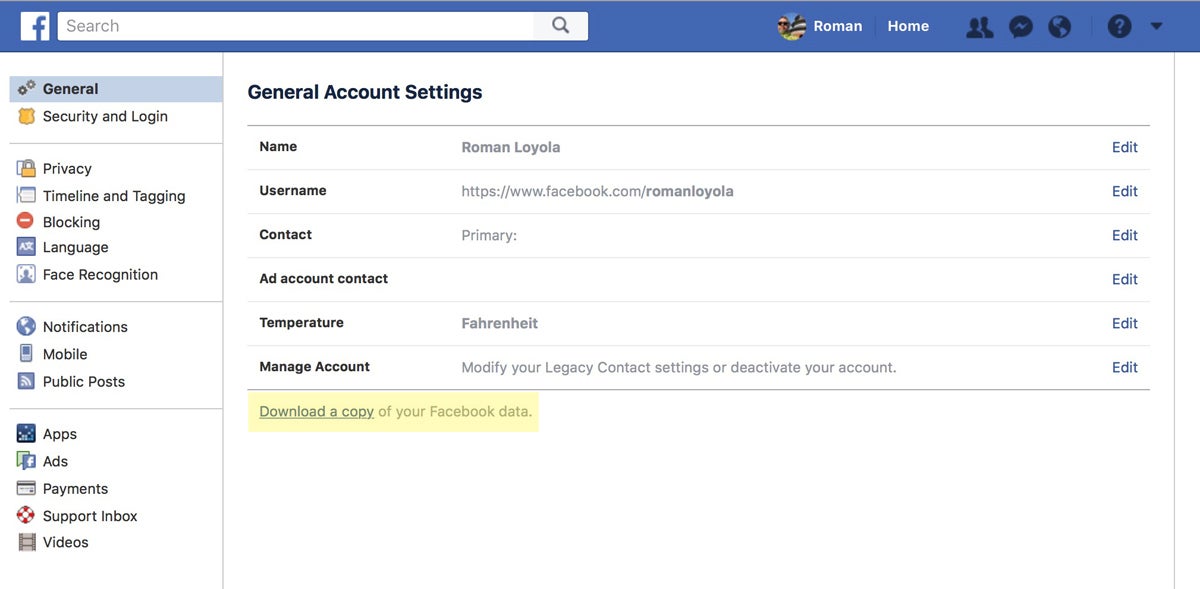
IDG2. Go to the General Account Settings (it should go there by default). Below the list that includes your Name, Username, etc., look for the link that says, "Download a copy of your Facebook data." Click it.
 IDG
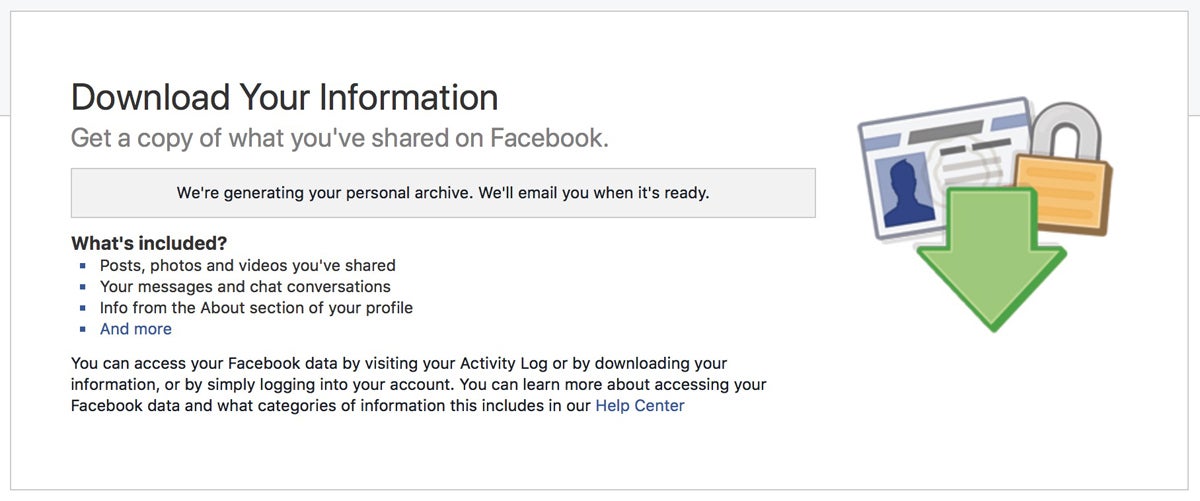
IDG3. The next page that appears will have a "Download Your Information" heading. Click the Start My Archive link. You'll then see a notification saying it may take a few minutes to create your archive.
Facebook will send emails to the address you have in your profile to let you know that your data was requested, and then another email to notify you that your data is ready to download.
 IDG
IDG4. Check your email for the download notification. It will have a link you need to click. This is done to help make sure that the data request is legitimate.
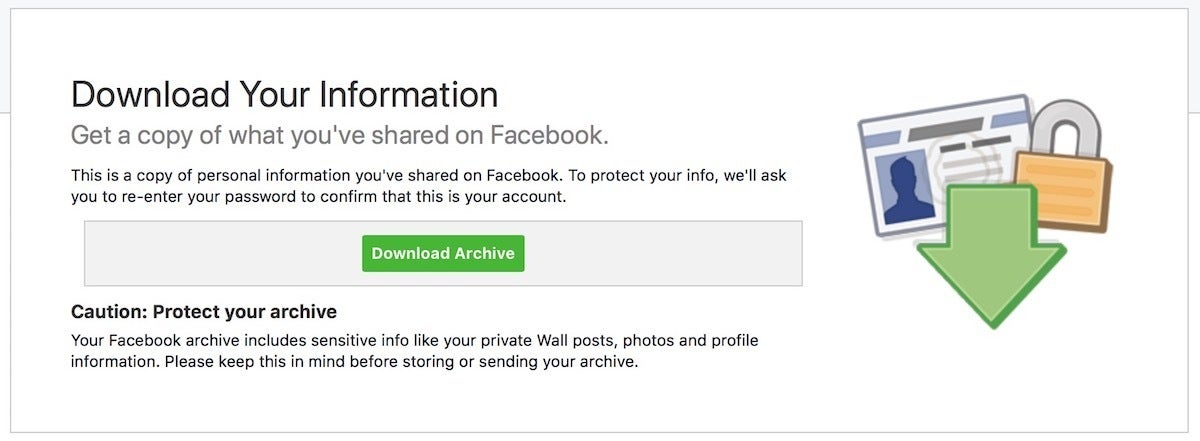
5. After you click the email link, your browser will go back to Facebook's Download Your Information page, but now there is a Download Archive link. Click it to start the download process.
 IDG
IDG6. A window will pop-up, asking for your Facebook password. Enter it and click Submit to proceed.
7. The download will begin. The file size varies, depending on how much information you have put in Facebook. The more active you are, the bigger the download.
How to read your Facebook data
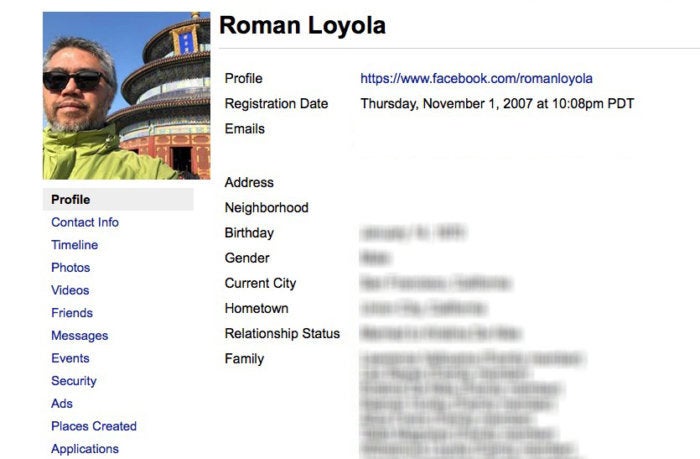
Facebook provides your data as a local mini website. All the files are in a folder, and if you open the folder, you'll see an index.htm file. Open it, and it will launch in your browser.
 IDG
IDGThe first page that opens is your Profile page, which gives you a summary of your personal information on Facebook. Click on any of the links below your profile picture to see what else is in your Facebook data. Some points of interests you might want to check out sooner than later:
- Messages has a history of all the Messenger messages you've ever had. Even if you didn't respond to a message, it's in there.
- Security displays when you were on Facebook.
- Ads shows what Facebook ads you clicked on and what advertisers have your contact info.
- Applications shows a list of what apps and services are using in conjunction with Facebook.
If you see information you want to change or get rid of, you can't edit any of this information through the archive. You have to do it through your Facebook account.

Không có nhận xét nào:
Đăng nhận xét